Good ergonomics is not about fancy chairs. It is about arranging what you already have so your body works with gravity, not against it. Three elements do most of the work: screen height, chair cues, and short stretch breaks you actually take.
Start with your screen. The top edge should sit at, or slightly below, eye level so your gaze is horizontal and your neck stays neutral. If you use a laptop, raise it on a stack of books or a stand and add an external keyboard and mouse. Place the screen at arm’s length, then fine tune so you can read small text without leaning forward. If you use two monitors, center the primary screen in front of you; if you move between them equally, angle both so your nose points to the gap. Reduce glare by placing the setup perpendicular to windows and using warm, moderate brightness. Your eyes will feel it by 3 p.m.
Now dial in the chair. Sit back so your pelvis touches the backrest and your lower back is supported. If the chair has no lumbar support, roll a small towel and place it at the belt line. Adjust seat height so your hips are level with, or a little higher than, your knees. Feet should rest flat on the floor; if they do not, use a footrest or a firm box. Aim for a backrest angle of roughly 95 to 110 degrees, which lets you sit tall without stiffening. Keep shoulders relaxed and drop them away from your ears. Elbows should bend about 90 to 100 degrees with forearms parallel to the desk. If the desk is too high, raise the chair and add a footrest; if it is too low, add risers under the legs.
Keyboard and mouse placement matter more than you think. Keep both close and at the same height so you do not reach. Wrists stay straight, not cocked up; float the hands lightly over the keys rather than pressing the wrist bones into the desk. A thin wrist rest can help, but the best cue is to pull the keyboard closer and lower the shoulders. If you feel one shoulder creeping forward, bring the mouse in line with your shoulder, not out to the side. Shortcuts reduce repetitive reaches, and a larger mouse pointer can lower squinting and neck craning.
Plan your workspace like a cockpit. Items you use every hour should live within a forearm’s reach. Put the water bottle on the opposite side of the mouse to prompt small, balancing reaches. Keep cables tidy so you do not fight them. Light the desk with a lamp that throws soft, indirect light across the keyboard, and keep the room slightly cooler to promote alertness.
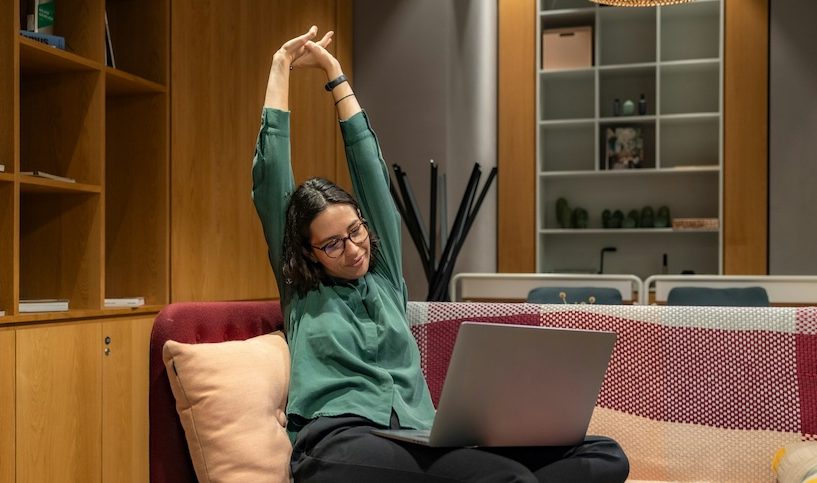
Micro breaks are where pain usually improves. Follow the 20 20 20 eye rule: every 20 minutes, look at something 20 feet away for 20 seconds. Every 30 to 45 minutes, stand for one minute and cycle three moves: chest opener (interlace fingers behind you and breathe twice), hip hinge (hands on hips, fold and return), and neck glide (gently tuck chin and lengthen the back of the neck). Add two mobility snacks after lunch: 10 slow shoulder rolls and a seated figure four stretch for the hips. None of these require changing clothes or a gym.
Finally, build habits that make posture automatic. Place a small sticker on the top bezel as a cue to sit back and relax shoulders. Set a silent timer to nudge a one minute stand. Keep a note card with three checks: feet flat, ribs over pelvis, screen at eye line. The goal is not perfect stillness. It is steady variety in good positions, so your back, neck, and wrists share the load. Set it up today and your body will return the favor by the end of the week.
Photo by Resume Genius on Unsplash.